PHP & Web Development Blogs

Search Results For: data
Showing 6 to 10 of 43 blog articles.
4743 views · 2 years ago


Introduction


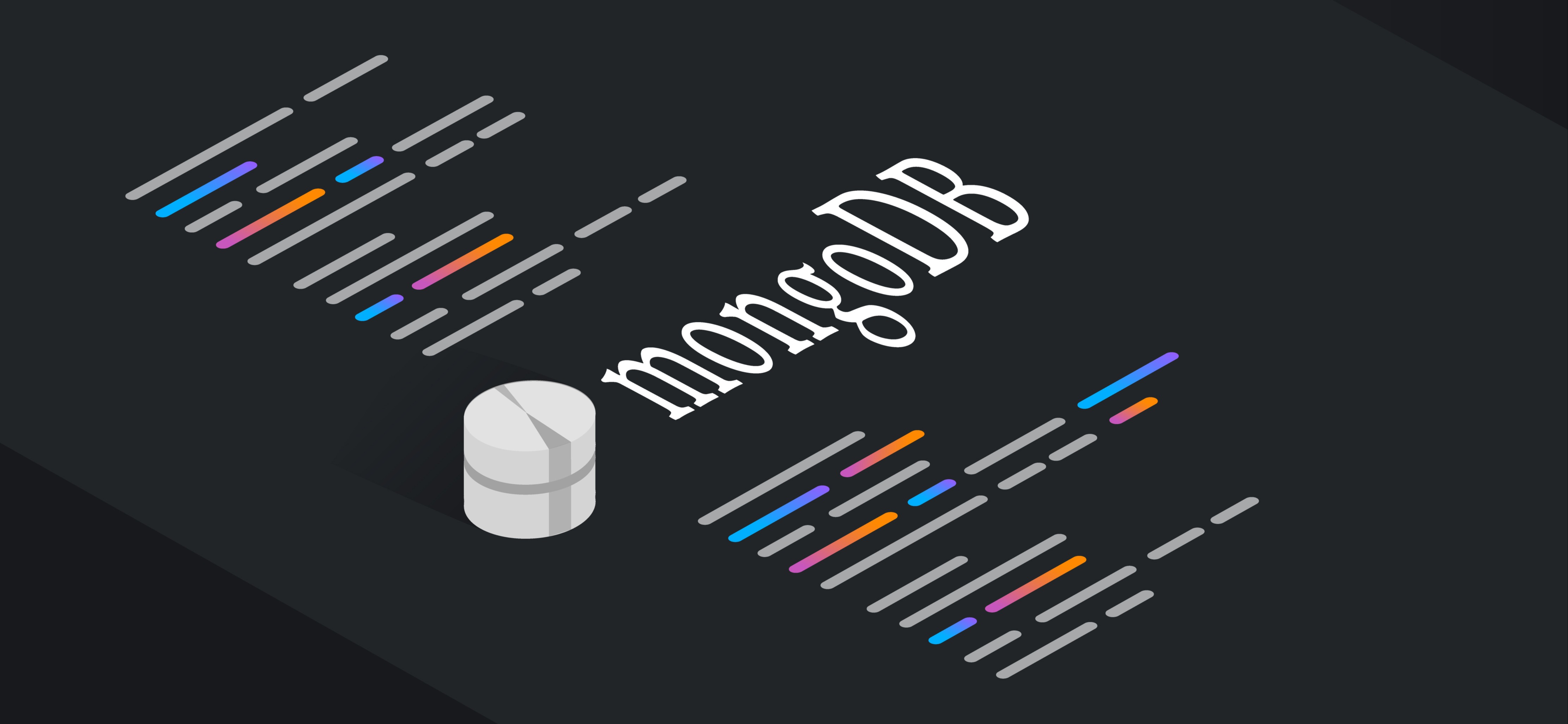
MongoDB, a popular NoSQL database, provides flexibility and scalability for modern web applications. In this guide, we will explore how to use MongoDB with PHP, a widely used scripting language. We'll cover the necessary steps to establish a connection, perform CRUD operations, and leverage the power of MongoDB in your PHP projects.

Prerequisites


Before diving into MongoDB integration, ensure you have the following:
   
. MongoDB installed and running on your machine.
   
. PHP installed on your machine, preferably version 7 or above.
   
. Composer, a dependency management tool for PHP.

Step 1: Installing the MongoDB PHP Driver


The first step is to install the MongoDB PHP driver, which enables PHP to communicate with MongoDB. We can use Composer to handle the installation process efficiently. Open your terminal or command prompt and navigate to your project directory. Then run the following command:


composer require mongodb/mongodb


This command installs the MongoDB PHP driver along with its dependencies. Composer will create a vendor directory containing the required files.

Step 2: Establishing a Connection


To connect to MongoDB from PHP, we need to create a new instance of the MongoDB client class. Open your code editor and create a new PHP file, for example, connect.php. Add the following code:


<?php

require 'vendor/autoload.php';

use MongoDB\Client;

$client = new Client("mongodb://localhost:27017");

?>


In this code, we require the Composer-generated autoloader and import the Client class. We then create a new instance of the Client class, specifying the MongoDB server's connection URL. Adjust the URL if your MongoDB server is running on a different host or port.

Step 3: Performing CRUD Operations


Now that we have established a connection, let's explore how to perform basic CRUD operations using MongoDB with PHP.

Creating Documents


To insert a new document into a MongoDB collection, use the insertOne() method. Here's an example:

<?php
$collection = $client->test->users;

$newUser = [
'name' => 'John',
'email' => '[email protected]',
'age' => 25
];

$insertResult = $collection->insertOne($newUser);
echo "Inserted document ID: " . $insertResult->getInsertedId();
?>


In this code, we select the users collection within the test database. We create a new document as an associative array and then use the insertOne() method to insert it into the collection. Finally, we retrieve and display the ID of the inserted document using the getInsertedId() method.

Reading Documents


To retrieve documents from a MongoDB collection, use the find() method. Here's an example:

<?php
$collection = $client->test->users;

$documents = $collection->find();

foreach ($documents as $document) {
echo $document['name'] . ': ' . $document['email'] . "\n";
}
?>


In this code, we retrieve all the documents from the users collection. We iterate over the result using a foreach loop and access specific fields, such as the name and email, to display their values.

Updating Documents


To update documents in a MongoDB collection, use the updateOne() method. Here's an example:

<?php
$collection = $client->test->users;

$updateResult = $collection->updateOne(
['name' => 'John'],
['$set' => ['age' => 30]]
);

echo "Modified " . $updateResult->getModifiedCount() . " document(s).";
?>


In this code, we update the age field of the document with the name 'John' using the $set operator. The updateOne() method updates the first matching document. We then retrieve the number of modified documents using the getModifiedCount() method.

Deleting Documents


To remove documents from a MongoDB collection, use the deleteOne() method. Here's an example:

<?php
$collection = $client->test->users;

$deleteResult = $collection->deleteOne(['name' => 'John']);
echo "Deleted " . $deleteResult->getDeletedCount() . " document(s).";
?>


In this code, we delete the document with the name 'John'. The deleteOne() method removes the first matching document, and we retrieve the number of deleted documents using the getDeletedCount() method.

Conclusion


Congratulations! You have learned the basics of using MongoDB with PHP. By establishing a connection, performing CRUD operations, and leveraging the power of MongoDB, you can build powerful and scalable web applications. Remember to refer to the MongoDB PHP documentation for additional features and advanced usage.
67534 views · 2 years ago


To bridge the gap between web-based and cloud-based applications, businesses often rely on skilled DevOps developers. These professionals play a crucial role in ensuring seamless integration, efficient customization, and robust back-end infrastructure for applications. The expertise of DevOps developers is indispensable for optimizing development workflows and enhancing collaboration between development and operations teams in the dynamic landscape of app development services.

In the realm of cloud computing, web based application in cloud computing play a pivotal role. Technically, web apps, as the name suggests, are applications hosted on remote servers & accessible through web browsers. On the other hand, cloud-based apps are web applications that come with advanced functionalities & elaborate compatibility.


In the realm of contemporary software development, the demand for innovative solutions is evident in the competition between web and cloud-based applications. These two platforms share similarities but diverge significantly in crucial aspects. This article will delve into the distinctions between web-based and cloud-based applications, exploring facets such as back-end infrastructure, scalability, and technical perspectives, shedding light on the nuances that developers navigate in this dynamic landscape, including the pivotal role of technologies like chatbot development.
What Is a Web Application?

A web-based app is an application designed and developed for the web browser. Unlike cloud based application development, the web app completely depends on the web server for functionality & processing. This application program is mainly stored on the remote server & delivered through a web browser interface over the internet. According to web application development company, web apps have client-server architecture & their codes are divided into 2 major components – server-side architecture & client-side architecture.

Server-side architecture: The server-side architecture or script usually deals with data processing. The web server can process a client request & send a response back. This web app architecture defines a simultaneous interaction between database instances, components, user interfaces, middleware systems, and servers.

Client-side architecture: The client-side architecture mainly deals with interface functionalities such as drop-down boxes and buttons. When a user clicks on the link, the browser will start loading the client-side script & rendering a text and graphic element for interaction.
Types of Web Apps
Nowadays, many businesses are already adopting various kinds of web-based applications because of their several advantages, features, and functionalities. 8 most popular types of web apps include:
    . Static Web Apps
Static web applications, constructed using HTML, CSS, and JavaScript, lack the flexibility of dynamic counterparts. These web based services provide content directly to users without requiring server-side modifications, resulting in simplicity and straightforward development. Key benefits of these apps include:
Very fast load time
Highly secure
Less complex to build
    . Dynamic Web Apps
This is a complex type that provides real-time data based on the server response and the user’s request. Dynamic web apps can be developed either as a conventional website with several pages and levels of navigation or as a single-page web application. They use several server-side and client-side languages to create web pages such as HTML, CSS, JavaScript, Python, PHP, Ruby, etc. Key benefits of dynamic web apps include:
Wider audience reach
Scalable in comparison to static web apps
Very flexible in terms of a new content update
    . Single Page Apps
A single page web app entirely runs on the browser & never requires browser reloading. This is actually a dynamic web app that manages all data on a single HTML page. This type of web app is faster than traditional websites as its logic is implemented in the browser directly than a server. Gmail, Netflix, Pinterest & Paypal are the best examples of single page applications. Key benefits include:
Enhanced user experience
Minimized server load
Improved app performance
    . Multiple-Page Apps
Multiple page apps are designed multiple pages separately and combined to form a website. They have different pages with static information like texts & images. Web based app development companies recommend using multiple-page apps as they offer excellent control over search engine optimization techniques. Major benefits of Multiple page apps include:
Ideal for SEO
Quick browser back or forward navigation
Simple to develop
    . Animated Web Apps
This is a type of web application that effectively supports synchronization & animation on the web platform. These applications are widely used by freelancers and creative companies to present their creativity better. Technically, JavaScript, HTML5, FLASH, and CSS are used to create animated web applications. Key benefits of AWAs include
Improved User Engagement
Enhanced Navigation
Excellent Branding
    . Web Apps with CMS
In this web application, content is updated constantly. It helps to manage, modify and create digital content with ease. WordPress is one of the best examples of CMS web applications. A variety of languages are used to create content management systems such as C#, PHP, Java, and Python. Key advantages of CMS web apps include:
Quick content creation & management
Efficient & quick updates
A vast range of features
    . E-commerce Web Apps
It’s a complicated and advanced dynamic web application that allows users to buy & sell goods electronically. These web based services encompass transaction and payment integration as key components, facilitating seamless order processing, payment acceptance, and logistical management for businesses involved in online commerce. Key benefits of these web apps include:
Scale business quickly
Offers customer insights through tracking & analytics
Sell goods across the world
    . Progressive Web Apps
Progressive web apps or PWAs are also called cross-platform web apps usually built with HTML, CSS, & JavaScript. PWAs use different features, APIs, and progressive methods to deliver a seamless experience. Progressive web apps boost the adaptability and speed of web applications. These apps are still easy to access if internet connectivity is poor. Key benefits of progressive web apps include:
Fast loading time
No installation required
Quickly respond to user interactions
Enhanced cross-platform conversion

Looking for App Development Solutions?
Take your brand up a notch with our custom mobile app development services.
Talk to an Expert

Type
Widely Used In
Advantages
Dynamic web apps
Social media
Healthcare
IT Industry
Logistics and transportations
Retail and ecommerce sectors
On-demand
Directly manage websites to update & change the information
Quick user management to protect servers & control all website users
Static web apps
Book publishing sectors
Works in offline mode
No 3rd party software installation required to access web apps
Single page apps
Email service
Communication sectors
Allows navigation & optimized routing experience
Keeps visual structure of web apps consistently through presentation logic
Multiple page apps
E-commerce sectors
Enterprise industries
Enables optimizing every page for the search engine
Allows users to access other pages
Animated web apps
Animation
Education
Gaming industries
Hold user attention for a very long time due to its attractive approach & unique design
Aspect ratios, landscape orientations, portrait, and viewing distances & different pixel densities are considered
Web apps with CMS
Blogging platforms
Sales & marketing platform
News portals
Easily organizes the web content Offers group & user functionality
Simple language support & integration
E-commerce web apps
E-commerce sectors
Allows sellers to sell products using a single platform
Helps you expand business globally & reach maximum audience
Progressive Web Apps
On-demand
Healthcare
Retail and e-commerce
Logistics and transportations
Social media
IT sectors
Responsive & Browser Compatibility Works in online & offline mode
Updates with no user interaction

Key Benefits of Web Apps
Web apps enable businesses to interact with their customers more efficiently. These applications can make it easy to track & measure data that are essential to keep business operations streamlined. Key advantages of web apps include:
Easily accessible through any kind of web browser
Runs on multiple platforms that make it cross-platform compatible
Minimizes the risk of compatibility issues
Requires less maintenance & support from the developer’s end
Helps to ease usability for the customers
Effectively eliminates hard drive space limitations
Apps can be maintained & updated without software reinstallation on several devices
Offers high scalability and flexibility
Simple to deploy, maintain, and update
The cost of routine maintenance is minimized as the data is stored on remote servers
What is a Cloud Based App?
These apps are online software programs with elements accessible via a local server and executed on the cloud environment. As internet-based software, cloud applications are stored in the remote data center & handled by cloud-service providers. These apps are used for file sharing & storage, order entry, word processing, inventory management, financial accounting, customer relationship management, data collection, etc.

According to the report, the global market size of cloud apps is projected to reach approx 168.6 billion USD by 2025. Cloud apps usually support several user requirements through customization and provide several services to meet storage, backup & security needs. Some major characteristics of cloud apps include:
Agile application
Microservices-oriented
API-backed
Continuously integrated & delivered
DevOps-enabled
Analytics-infused
User experience-centric
Types of Cloud-based Applications
Cloud apps are divided into three major cloud computing models – SaaS, PaaS, and IaaS. Each model also shows several parts of cloud computing stacks. Take a closer look at these types:
    . SaaS or Software as a Service
SaaS is one of the best cloud apps that enable users to easily access full-functioning software applications over the internet. These cloud applications are primarily designed for freelance services, large enterprises & SMBs. Some of the best examples of SaaS applications are HubSpot CRM, Wrike, MS Office 365, Sisense, Wix, etc.
    . PaaS or Platform as a Service
PaaS provides users with the infrastructure, computing platforms, and solutions to build their own applications. Platform as a Service is ideal for businesses that mainly engage in collaboration, testing, and development of cloud solutions. PaaS applications have a deployment environment including run-time system libraries, operating systems, and graphic UI. Some of the best examples of PaaS apps are Google App Engine, Microsoft Azure, Rackspace Cloud Sites, etc.
    . IaaS or Infrastructure as a Service
IaaS consists of basic building blocks that offer access to networking functionalities, features & data storage space. It enables users to outsource IT infrastructures like servers, processing, virtual machines, storage, networking & other resources. IaaS applications also offer a good level of management control and flexibility over IT resources. Some of the best examples of IaaS apps are Amazon WorkSpaces, IBM Cloud, Google Cloud, etc.
Benefits of Cloud Apps
Web based application in cloud computing boost productivity, accessibility, security, and data safety. They help businesses make the process of collaboration more effective and easier. Key benefits of cloud applications include:
Minimal service provider interaction & management effort
Provides large computing capabilities, online & offline
Provides access to information from any device or place
Offers fast access to important applications through cloud servers
The performance of the availability of cloud apps enhances profitability & streamlines workflows
Serves multiple consumers with virtual and physical needs
Provides high transparency to resource providers & consumers
Offers improved collaboration options
Web Apps Vs Cloud Apps – Key Differences
Web apps and cloud apps both come with a wide range of functionalities & have noticeable distinctions. Web-based applications usually are accessible via web browsers, whereas cloud app’s infrastructure and data aren’t only accessible through the web browser but also downloadable. So, all cloud apps are web apps with additional features. Other differences between web and cloud apps are listed below.

Parameters
Cloud apps
Web apps
Internet
Work partially or entirely without the internet connectivity
Work with the internet only
Security
Ensures high security measures for sensitive & confidential information
It can verify client info on authentic servers
Technology
It needs a back–end framework & a JavaScript-based structure like React Js, Angular, etc
It has inbuilt languages such as PHP, Python & Ruby, and databases like MySQL.
Access
It’s not dependent on the web browser
Accessed via the web browser only
Customization
Customization features improve functionalities.
Never provides customization and similar functionalities
Costs
Expensive as compared to web apps
Development cost is less than cloud apps
Types
SaaS, PaaS, IaaS, RaaS
Static web apps, dynamic web apps portal web apps, etc
Scalability
Inherently scalable
Limited scalability
Availability
High uptime
Limited uptime
Storage
Multiple replicated center
Single data center

Are You In Search of The Best App Development Company?
With top-notch development services, we develop the best software applications that meet your needs.
Book an Appointment
Final Words
Web apps and cloud apps both are continuing to deliver users as the most crucial touch point. Since they are packed with similarities and dissimilarities in terms of software architecture, storage, and other aspects, selecting the right application always depends on customer preferences, business needs, and operations. Are you planning to build a custom web application or looking for web app development services? Get in touch with our experts for complete assistance.
3994 views · 2 years ago


Today’s digital transformation has significantly empowered every company to produce accurate information at all touch points. Whether it’s a large-scale enterprise or a small private venture, every organization irrespective of all sizes needs proper web app development services to build a sophisticated database for storing and managing its data. Examples of web applications include customer relationship management (CRM) systems, project management tools, and e-commerce platforms. These custom software developers play a crucial role in tailoring web applications to meet specific business needs, ensuring seamless integration and optimal functionality.

A database is a set of a vast range of structured & unstructured data stored in a system and adequately managed through DBMS or Database Management System. The data stored in the database is highly sensitive, hence companies need to be careful while accessing any data or information.

When considering the development of web applications, partnering with a reputable web development firm is essential to ensure the seamless integration and efficient management of databases. A skilled web development firm possesses the expertise to optimize database systems, enhancing data organization, security, and retrieval processes for an enhanced user experience. In this article, we will delve into the top database solutions for web applications in 2024 and explore the advantages they bring to the forefront of modern software development.

Types of Databases For Web Applications

Depending on your business model, industry domain, and other factors, your business application system will have certain requirements. Different databases types are used for different enterprise requirements. However, the database is technically divided into two types: SQL & NoSQL.

SQL or Structured Query Language is a relational database that comes with a relational structure. This is used for managing structured data only. On the other hand, the NoSQL database doesn’t have any relational structure & they are used to store unstructured data types. For your convenience, we have shared a complete comparison of both databases below.

SQL Databases
NoSQL Databases
Mix of proprietary & open-source
Open source database
Comes with rational structure
No rational structure
Ideal for managing structured data
Best for storing unstructured & semi-structured data
Vertically scalable
Horizontally scalable
Examples: MySQL, PostgreSQL, Oracle, etc
Examples: MongoDB, Cassandra, Firebase, etc

Enterprises have deeply relied on SQL to manage all their databases in web apps, but as cloud, microservices & distributed applications become popular, there are NoSQL options also available. Before you choose the right database, you must consider a number of factors such as size, structure & scalability requirements. Apart from that, you need to consider some of the following questions also:
* What type of data structure do you need?
* What is the amount of data you want to store?
* What is your total budget?
* Does it allow for support contracts & software licenses?
* What is the requirement for your data security?
* What third-party tools do you want to add to your database?

Best Databases For Web Applications In 2024

Finding out the right database option for a web app development may impact the scalability and success of any project. With too many options available, it’s quite challenging to select which one is the best for you. 2024’s widely-popular databases include:

1. MySQL:

MySQL is one of the best open-source relational databases developed by Oracle Corporation in 1995. According to the Stack Overflow developer survey, this database was used by 46.8% as of 2022. The robustness, maturity, and stability of this database make it perfect for web applications. Moreover, MySQL database uses a structured language & written in C & C++.
Latest version: MySQL 8.0.33

Key features of MySQL database include:
* Easy to deploy & manage
* It supports Consistency, Atomicity, Isolation & Durability
* It’s an RDBMS or Relational Database Management System
* Provides fast-loading utilities with several memory caches to maintain servers
* Offers top-notch results without compromising any functionality
* Contains solid Data Security layers to offer complete security solutions

2. PostgreSQL:

Launched in 1996, PostgreSQL is also a very popular database used as a data warehouse or primary data store for web, analytics, geospatial and mobile applications. This is also an open-source SQL-based RDBMS (relational database management system) that supports C, C++, C#, Ruby, Java, Python, and other programming languages. This agile database is compatible with different OSs such as Windows, Linux, Unix, MacOSX, etc.
Latest version: PostgreSQL 15.3

Key features of the PostgreSQL database include
* Houses different constraints such as primary keys, foreign keys, exclusion constraints, explicit locks, advisory locks, etc
* Supports different SQL features like SQL Sub-selects, Multi-Version Concurrency Control,
* Streaming Replication, complex queries, etc.
* Compatible with different data types like Structured, Customizations, Primitives, Geometry & Documents.
* Supports MVCC or multi-version concurrency control

3. Microsoft SQL Server:

Launched in 1989, Microsoft SQL Server is a powerful RDBMS used for transaction processing, analytics applications, and business intelligence in IT environments. It comes with built-in intelligence & enables businesses to boost their performance, security, and availability seamlessly. MS SQL Server comes in different editions with authentication & security features.
Latest version: Microsoft SQL Server 2022

Key features of the Microsoft SQL Server database include:
* Available on both Linux & Windows platforms
* Supports semi-structured, structured, and spatial data
* It has a custom-built graphical integration
* Helps users build different designs and tables without syntax
* Comes with several features for protection, monitoring, and data classification
* Gives alerts on security gaps, misconfigurations & suspicious activities

4. MongoDB:

MongoDB is a document-oriented open-source NoSQL database used for high-volume data storage. Written in JavaScript, C++, and Python, this is a very flexible and scalable database platform that removes relational DB approaches. MongoDB offers a high level of flexibility through load balancing and horizontal scaling capacities. This is a perfect option for web apps that need high performance.
Latest version: MongoDB 6.0.5

Key features of the MongoDB database include:
* Effectively supports ad hoc queries
* Highly scalable & flexible database
* Offers schema-less database
* Appropriate indexing for query executions
* Replication for data availability & stability

5. Oracle:

Oracle is a very popular RDBMS that is known for its high-performance and cost-optimization solutions. This is a commercial relational database written in C, C++ & Java. Oracle comes with a relational database architecture that offers an easy, scalable, performant solution for accessing, defining, and managing data.
Latest version: Oracle 21c

Key features of the Oracle database include:
* Executes fast backup & recovery
* Provides multiple database support
* Offers superior scalability
* Offers better user controls and identity management
* Utilizes a single database for every data type

6. Redis:

Redis stands for Remote Dictionary Server and is a widely-used open-source database used for web applications and cache management. Redis can also be used with different streaming solutions like Amazon Kinesis & Apache Kafka to analyze & process real-time data.

This database also supports different data structures like lists, streams, bitmaps, strings, maps, and so on. Because of its high performance, Redis is vastly used in many sectors such as IoT, Gaming, Financial Services, etc.
Latest version: Redis 7.0.11

Key features of the Redis database include:
* Provides premium speed with improved caching & in-memory capabilities.
* Supports a variety of data structures (strings, hashes, lists, bitmaps, HyperLogLogs, etc)
* Compatible with different languages (Java, PHP, Python, C, C#, C++, etc)
* Offers quick access to data for training, deploying, and developing applications

7. Cassandra:

Released in 2008, Cassandra is a distributed open-source NoSQL database that effectively manages vast amounts of data. It provides excellent scalability that supports multi-datacenter replication and automatic data replication. Cassandra database is ideal for applications that need prompt data access with high performance.
Latest version: Cassandra 4.1.0

Key features of the Cassandra database include:
* Easy to scale
* Highly scalable & comes with strong architecture
* Offers flexibility for data distribution
* Faster linear-scale performance
* Very flexible data storage
* Supports properties like Consistency, Atomicity, Isolation, and Durability

How Much Does The Web Application Database Cost?

In general, the average web app development cost ranges from $5,000 to $100,000. However, this cost depends on too many parameters like web app database complexity, features & functionalities, backend infrastructure, etc.

If you want to get a proper estimation of your web database application cost, you can take advantage of a web app cost calculator. For your convenience, we have listed the average web application development costs based on their categories.
Factors
Basic Web Apps
Medium Apps
Complex Apps
Highly Complex Apps
Estimated cost
$3,000 to $15,000
$15,000 to $60,000
$60,000 to $2,50,000
More than $250,000
Timeline
    . to 5 weeks
    . to 20 weeks
    . to 25 weeks
More than 9 months
Features
Simple landing page
Static content
Landing page
Database integration
Admin panel
User accounts
Online payment options
Third-party integrations
Landing page
Huge database integration
Admin panel
Multipleuser accounts
Online Payment options
Third-party integrations
Personalized features
Landing page
Top-notch database integration
Admin panel
Customized features
Examples
Online brochures
Portfolio
websites
MVP
Web portals
E-commerce websites
Online gaming sites with animation
Web applications for businesses
Automated billing systems
Human resources management system (HRMS)
Complex ecommerce websites
Custom web apps
On-demand web apps
App for complex businesses
High-end features with AI/ML integration
Custom web apps

Final Words

In the past, the process of selecting a database web application was straightforward. However, in this modern era of software development, this process has become very intrinsic as too many options are available today and the business requirements have also transformed.

For a business that works with small apps, NoSQL databases like MongoDB can be the best choice & for managing large & complex applications, databases like MySQL, MS SQL Server, and PostgreSQL can be the right choice. Would you like to know more about web applications with databases? Talk to our experts today.
2754 views · 2 years ago


Are you looking to dive into the world of relational databases but feeling overwhelmed by the options available? MariaDB might just be the perfect starting point for you. In this beginner's guide, we'll introduce you to MariaDB, an open-source relational database management system (RDBMS) that's renowned for its ease of use, scalability, and robust performance. Whether you're a budding developer, a small business owner, or just curious about databases, this guide will walk you through the basics of MariaDB and get you started on your database journey.

What is MariaDB?


MariaDB is a community-developed, open-source RDBMS that was forked from MySQL in 2009. It's designed to be a drop-in replacement for MySQL, meaning that most MySQL features and commands work seamlessly with MariaDB. This makes it an attractive option for those already familiar with MySQL or looking to migrate from it.

Features of MariaDB:
   

. Open-Source: MariaDB is distributed under the GNU General Public License (GPL), making it freely available for anyone to use, modify, and distribute.
   
. High Performance: MariaDB is optimized for high performance, thanks to its efficient storage engines, query optimizer, and multi-threaded architecture.
   
. Scalability: Whether you're running a small-scale application or managing large-scale deployments, MariaDB can scale to meet your needs.
   
. Security: MariaDB takes security seriously, offering features such as encryption, role-based access control, and secure connections to ensure your data remains safe.
   
. Compatibility: As mentioned earlier, MariaDB strives to maintain compatibility with MySQL, which means you can easily migrate existing MySQL databases to MariaDB with minimal hassle.

Getting Started:


Installation:


Getting started with MariaDB is straightforward. You can install it on various operating systems, including Linux, Windows, and macOS. Here's a basic overview of the installation process:

-Linux: Most Linux distributions offer MariaDB in their official repositories. You can install it using your package manager. For example, on Ubuntu, you can run sudo apt-get install mariadb-server.

-Windows/macOS: MariaDB provides installers for Windows and macOS on their official website. Simply download the installer and follow the on-screen instructions to complete the installation.

Configuration:


Once MariaDB is installed, you'll need to perform some initial configuration steps, such as setting up a root password and securing the installation. This typically involves running a configuration script or accessing the MariaDB command-line interface (CLI).

Creating Databases and Tables:


With MariaDB installed and configured, you can start creating databases and tables to store your data. You can do this using SQL commands or a graphical interface such as phpMyAdmin.

Here's a simple example of creating a database and a table:

CREATE DATABASE my_database;
USE my_database;

CREATE TABLE users (
id INT AUTO_INCREMENT PRIMARY KEY,
username VARCHAR(50) NOT NULL,
email VARCHAR(100) NOT NULL
);


This creates a database named my_database and a table named users with columns for id, username, and email.

Performing Basic Queries:


Once you have your database and tables set up, you can start querying your data using SQL. Here are some basic examples of SQL queries:

-Inserting Data:
INSERT INTO users (username, email) VALUES ('john_doe', '[email protected]');


-Selecting Data:
SELECT * FROM users;


-Updating Data:
UPDATE users SET email = '[email protected]' WHERE username = 'john_doe';


-Deleting Data:
DELETE FROM users WHERE username = 'john_doe';


Conclusion:


MariaDB is an excellent choice for beginners and experienced developers alike who are looking for a powerful, open-source relational database solution. In this guide, we've covered the basics of MariaDB, from installation to performing basic database operations. As you continue to explore MariaDB, you'll discover a wealth of features and capabilities that can help you build robust and scalable applications. So why wait? Dive into MariaDB today and unlock the full potential of relational databases.
2568 views · 2 years ago


Unit testing is a crucial aspect of modern software development, ensuring that individual units of code function correctly in isolation. In PHP, unit testing helps developers identify bugs early in the development cycle, improve code quality, and facilitate code maintenance. In this comprehensive guide, we'll walk you through the process of creating unit tests in PHP, using popular testing frameworks like PHPUnit.

Why Unit Testing?


Unit testing involves testing individual components or units of code in isolation from the rest of the application. Here are some reasons why unit testing is essential:
   
. Bug Detection: Unit tests help identify bugs and regressions early in the development process, making them easier and cheaper to fix.
   
. Code Quality: Writing unit tests encourages developers to write modular, well-structured, and maintainable code.
   
. Improved Documentation: Unit tests serve as executable documentation, providing clear examples of how individual components of your code should behave.

Getting Started with PHPUnit:


PHPUnit is the most widely used testing framework for PHP. It provides a robust set of features for writing and executing unit tests. Let's dive into how you can get started with PHPUnit:

Installation:


You can install PHPUnit using Composer, the PHP package manager. Simply navigate to your project directory and run the following command:

composer require --dev phpunit/phpunit


This command installs PHPUnit as a development dependency in your project.

Writing Your First Test:


Now that PHPUnit is installed, let's create a simple test case. Create a new directory named tests in your project root, and within that directory, create a file named ExampleTest.php. Here's an example of what your test file might look like:

<?php

use PHPUnit\Framework\TestCase;

class ExampleTest extends TestCase
{
public function testTrueAssertsToTrue()
{
$this->assertTrue(true);
}
}


This test case contains a single test method named testTrueAssertsToTrue, which asserts that true is indeed true.

Running Tests:


To run your tests, simply execute PHPUnit from the command line, pointing it to your test directory. Run the following command in your project root:

vendor/bin/phpunit tests


PHPUnit will discover and execute all test cases within the specified directory, providing detailed feedback on the results.

Writing Testable Code:


Writing testable code is essential for effective unit testing. Here are some best practices to follow:
   
. Separation of Concerns: Ensure that your code follows the principle of separation of concerns, with clear boundaries between different components.
   
. Dependency Injection: Use dependency injection to inject dependencies into your classes, making it easier to replace them with mock objects during testing.
   
. Mocking and Stubbing: Use PHPUnit's mocking and stubbing features to simulate the behavior of dependencies and isolate the code under test.

Advanced Features:


PHPUnit provides a wide range of advanced features for writing comprehensive unit tests. Some notable features include:

-Data Providers: Use data providers to run a test method with multiple sets of data.

-Annotations: PHPUnit supports annotations for marking test methods, setting up fixtures, and configuring test execution.

-Code Coverage: PHPUnit can generate code coverage reports, showing which parts of your codebase are covered by your tests.

Conclusion:


Unit testing is an indispensable practice in modern PHP development, and PHPUnit makes it easy to write and execute unit tests for your codebase. In this guide, we've covered the basics of getting started with PHPUnit, writing testable code, and leveraging advanced features to write comprehensive unit tests. By incorporating unit testing into your development workflow, you can improve code quality, reduce bugs, and build more robust and maintainable PHP applications.

SPONSORS